
Attention all OPNsense users: Due to a critical hotfix applied to the kernel, if you are experiencing any panics relating to pf(4) on version 24.7.10, please note that it will not be reinstalled automatically. We urge you to manually reinstall from the GUI system, which includes an automated reboot option. For further insight, head over to our official forum: https://forum.opnsense.org/index.php?topic=44413.msg221775#msg221775
Author Archives: Scott Magee
Did you know that endpoint devices like laptops and desktops often operate beyond traditional security perimeters, increasing your organization’s risk? With employees frequently connecting to unsecured Wi-Fi networks, VPNs may not be enough to mitigate these risks due to limitations such as performance bottlenecks and the risk of being bypassed. The demand for more effective, seamless security solutions is growing. Learn more about it here: https://www.zenarmor.com/post/zenarmor-1-18-for-msp-and-mssp #cybersecurity #Zenarmor #endpointsecurity
10
Dec
Dec
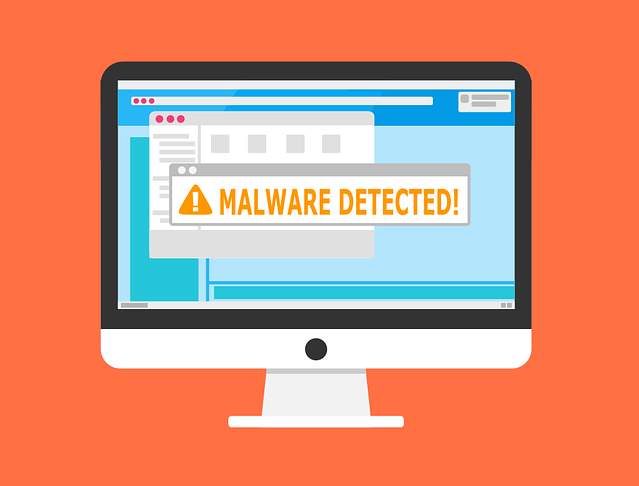
There are many types of malware. One of the most common is called “malvertising.” It crops up everywhere. Including social media sites and websites. You can also see these malicious ads on Google searches.
Two things are making malvertising even more dangerous. One is that hackers use AI to make it very believable. The other is that it’s on the rise, according to Malwarebytes. In the fall of 2023, malvertising increased by 42% (month over month).
It’s important to inform yourself about this online threat. Knowledge is the power to protect yourself. Especially when it comes to malicious cybercriminals. Below, we’ll help you understand malvertising. We’ll also give you tips on identifying and avoiding it.
What Is “Malvertising?”
Malvertising is the use of online ads for malicious activities. One example is when the PlayStation 5 was first released. It was very hard to get, which created the perfect environment for hackers. Several malicious ads cropped up on Google searches. The ads made it look like someone was going to an official site. But instead, they went to copycat sites. Criminals design these sites to steal user credentials and credit card details.
Google attempts to police its ads. But hackers can often have their ads running for hours or days before they’re caught. These ads appear just as any other sponsored search ad on Google.
Google is not the only site where malvertising appears. It can appear on well-known sites that have been hacked. It can also appear on social media feeds.
Tips for Protecting Yourself from Malicious Online Ads
Review URLs Carefully
You might see a slight misspelling in an online ad’s URL. Just like phishing, malvertising often relies on copycat websites. Carefully review any links for things that look off.
Visit Websites Directly
A foolproof way to protect yourself is not to click any ads. Instead, go to the brand’s website directly. If they truly are having a “big sale,” you should see it there. This tip is useful for all types of phishing. Just don’t click those links and go to the source directly.
Use a DNS Filter
A DNS filter protects you from mistaken clicks. It will redirect your browser to a warning page if it detects danger. DNS filters look for warning signs. They, then block dangerous sites. This can keep you safe even if you accidentally click a malvertising link.
Do Not Log in After Clicking an Ad
Malvertising will often land you on a copycat site. The login page may look identical to the real thing. One of the things phishers are trying to steal is login credentials. They can get big money for logins to sites like Netflix, banks, and more.
If you click an ad, do not input your login credentials on the site. Even if the site looks legitimate. Go to the brand’s site in a different browser tab.
Don’t Call Ad Phone Numbers
Phishing can also happen offline. Some malicious ads include phone numbers to call. Unsuspecting victims may not realize fake representatives are part of these scams. Seniors are often targeted with malvertising scams. They call and reveal personal information to the person on the other end of the line.
Just say no to calling numbers in online ads. If you find yourself on a call, do not reveal any personal data. Just hang up. Remember, this is an elaborate scam. These people prey on triggers like fear. They also work to gain your trust.
Don’t Download from Ads
“Get a free copy of MS Word” or “Get a Free PC Cleaner.” These are common malvertising scams. They try to entice you into clicking a download link. It’s often for a popular program or freebie. The link actually injects your system with malware. The hacker can then do further damage.
Never click to download anything from an online ad. If you see an ad with a direct download link, it’s often a scam.
Warn Others When You See Malvertising
If you see a suspicious ad, warn others. This helps keep your colleagues, friends, and family more secure. If you’re unsure, try a Google search on the ad. You’ll often run across scam alerts confirming your suspicion.
It’s important to be smart and arm yourself with knowledge. You can then share this with others. Foster this type of cyber-aware community. It helps everyone ensure better online security as well as get alerted of new scams cropping up.
Improve Your Online Security Today
Is your device up to date with security patches? Do you have a good anti-malware solution? Is DNS filtering installed to block dangerous websites?
If you’re not sure of any of those questions, contact us. Our cybersecurity experts are here. We’ll help you find affordable solutions to secure your online world.
Give us a call or email to schedule a chat about online security.
—
This Article has been Republished with Permission from The Technology Press.
Due to a crucial kernel hotfix, OPNsense users who experience panics related to pf(4) on version 24.7.10 are encouraged to promptly reinstall from the GUI (which includes an automatic reboot) or run the given “opnsense-upd” command. This process is vital as the kernel will not reinstall automatically if you obtained the previous faulty version. For more detailed instructions and ongoing updates, please refer to the original post: https://forum.opnsense.org/index.php?topic=44413.msg221775#msg221775

05
Dec
Dec
Today’s businesses are no stranger to the word cybersecurity. They are facing a growing wave of cyberattacks. These come from ransomware to sophisticated phishing schemes. How do you stand ahead of these threats? A strong cybersecurity strategy is essential. One crucial component of this strategy is event logging. It’s one that not every business owner is aware of.
Think of event logging as a digital detective. What does tracking activities and events across your IT systems do? It helps you spot potential security breaches and respond swiftly. As your managed IT service provider, we’re committed to helping you. We can help you understand the importance of event logging as well as how to put in place best practices to safeguard your network.
What Is Event Logging?
Event logging is the act of tracking all events that happen within your IT systems. “Event” can be many different things, such as:
- Login attempts
- File access
- Software installs
- Network traffic
- Denial of access
- System changes
- And many others
Event logging means to track all these and add a time stamp. This provides a robust picture of what is going on in your IT ecosystem. It’s through that ongoing picture that you can detect and respond to threats promptly.
Why is it critical to track and log all these events?
- Detect suspicious activity by monitoring user behavior and system events.
- Respond quickly to incidents by providing a clear record of what happened in a breach.
- Meet regulations that require businesses to maintain accurate records of system activities.
Best Practices to Use Event Logging Effectively
Event logging is most effective when you follow best practices. Here are some standard guidelines to follow. These are helpful if you’re just starting out as well as for those improving existing event-logging processes.
Log What Matters Most
Let’s be honest: You don’t need to track every digital footstep. Logging every single action on your network can create a mountain of data that’s hard to sift through. Instead, focus on the events that truly matter. These are those that can reveal security breaches and compliance risks.
The most important things to log are:
- Logins and Logouts: Keep tabs on who’s accessing your systems and when. This includes failed attempts, password changes, and new user accounts.
- Accessing Sensitive Data: Track who’s peeking at your most valuable information. Logging file and database access helps spot unauthorized snooping.
- System Changes: Keep a record of any changes to your system. Including software installations, configuration tweaks, and system updates. This helps you stay on top of changes and identify potential backdoors.
Event logging is much more manageable when you start with the most critical areas. This also makes it easier for small businesses.
Centralize Your Logs
Imagine trying to solve a puzzle with pieces scattered across different rooms. It’s chaos! That is what happens when you try to work with several logs for different devices and systems. Centralizing your logs is a game-changer. A Security Information and Event Management (SIEM) gathers logs in one place. This includes those from various devices, servers, and applications.
This makes it easier to:
- Spot patterns: Connect the dots between suspicious activities across different systems.
- Respond faster: Have all the evidence you need at your fingertips. This is helpful when an incident strikes.
- Get a complete picture: See your network as a whole. This makes it easier to identify vulnerabilities.
Ensure Logs Are Tamper-Proof
It’s important to protect your event logs! Attackers love to cover their tracks by deleting or altering logs. That’s why it’s vital to make your logs tamper-proof.
Here are some tips:
- Encrypt your logs: Lock them down with encryption. This makes them unreadable to unauthorized eyes.
- Use WORM storage: Once a log is written, it’s locked in place, preventing changes or deletions.
- Use strong access controls: Limit who can see and change your logs to trusted personnel only.
Tamper-proof logs provide an accurate record of events even if a breach occurs. They also keep the bad guys from seeing all your system activity tracking.
Establish Log Retention Policies
Keeping logs forever isn’t practical (or always necessary). But deleting them too soon can be risky, too. That’s why you need clear log retention policies.
Here are some things to consider:
- Compliance requirements: Some industries have specific rules about how long to keep logs.
- Business needs: How long do you need logs to investigate incidents or for auditing?
- Storage capacity: Make sure your log retention policy doesn’t overwhelm your storage.
Strike the right balance with retention. You want to ensure you have the data you need without sacrificing performance.
Check Logs Regularly
Event logging is only as good as your ability to use it. Don’t “set and forget” your logs. You should check them regularly. This helps you spot anomalies and identify suspicious patterns. It also helps you respond to threats before they cause serious damage. Use security software to help automate this process.
Here’s how to do it effectively:
- Set up automated alerts: Get notified immediately of critical events. Such as failed logins or unauthorized access.
- Perform periodic reviews: Dive into your logs regularly. Look for patterns that might show a threat.
- Correlate events: Use your SIEM to connect the dots between different activities. It can reveal more complex attacks.
Need Help with Event Logging Solutions?
As a trusted managed IT service provider, we’re here to support you. We can help you install these practices and ensure your business stays protected.
Give us a call or email to schedule a chat.
—
This Article has been Republished with Permission from The Technology Press.
Opnsense has recently issued a hotfix release tagged as 24.7.10_1. The update addresses an issue with unbound by utilizing tls-cert-bundle to point to the remaining valid bundle. Stay updated with the latest patches to ensure optimal security and performance. Check out the original post here: https://forum.opnsense.org/index.php?topic=44413.msg221635#msg221635
Check out the latest OPNsense RSS feed update! Optimal changes have been made to the base system, kernel, and driver updates for improved performance. The time-loop authentication has returned with enhanced TOTP case, and Unbound domain overrides have been transitioned to query forwarding. Learn more about this update: https://forum.opnsense.org/index.php?topic=44413.msg221605#msg221605

30
Nov
Nov
Artificial Intelligence is no longer a technology reserved for companies with big budgets. Today, small businesses can access AI tools that help in several ways. Such as streamlining operations, improving customer experiences, and boosting profits.
The rise of affordable AI solutions has opened the door for small businesses. They can leverage these powerful technologies without spending a fortune. This post will explore seven great examples of how to use AI to succeed in a competitive market.
1. Streamlining Customer Support with AI Chatbots
Small businesses often struggle with limited customer service resources. AI-powered chatbots provide a cost-effective solution. They automate responses to common customer inquiries. And can sound less robotic than non-AI chatbots.
Here are a couple of ways AI chatbots add value to small businesses.
Reducing Response Times
AI chatbots can handle several conversations at once. This significantly reduces customer wait times. Chatbots work 24/7, ensuring support is always available. This removes the burden on human agents. It also customers with quick answers to their questions.
Enhancing Customer Experience
AI chatbots are becoming more sophisticated. They can engage in natural, human-like conversations. Small businesses can offer high-quality service without increasing overhead costs.
2. Improving Marketing with AI-Powered Analytics
Marketing is crucial for small businesses but can be time-consuming and costly. AI-powered analytics tools help businesses make smarter decisions. They provide insights based on customer behavior, preferences, and trends.
Targeted Advertising
AI can analyze customer data to create highly targeted ad campaigns. They help ensure that businesses spend marketing budgets efficiently. This increases return on investment (ROI).
Predicting Customer Trends
AI uses predictive analytics to forecast future trends based on historical data. This enables small businesses to adjust their strategies in real time. With AI, companies can adapt quickly, maximizing their reach and impact.
3. Automating Routine Tasks with AI Tools
Small business owners often juggle many roles. This includes managing inventory and handling customer inquiries. AI can help by automating repetitive, time-consuming tasks.
Scheduling and Calendar Management
AI tools can automate scheduling. This includes client meetings, appointments, or team collaboration. You can integrate AI with email platforms and calendars. This saves time and reduces the risk of human error.
Invoice and Expense Management
Managing finances is another area where AI excels. AI-driven accounting tools can automate invoicing, track expenses, and more. This reduces the administrative burden on small business owners. It also ensures financial data is accurate and up-to-date.
4. Enhancing Inventory Management with AI Forecasting
Managing inventory is a critical aspect of running a small business. Overstocking can lead to increased costs. Understocking results in missed sales opportunities. AI can help balance inventory levels by accurately predicting demand.
Demand Forecasting
AI algorithms analyze historical sales data. As well as seasonality and market trends to predict future demand. This allows small businesses to order the right amount of inventory. This reduces waste and ensures they always have what customers need.
Automating Reordering
AI can also automate the reordering process. It can set triggers when stock levels reach a certain threshold. This ensures that companies replenish inventory before items run out.
5. Personalizing Customer Interactions with AI
Personalized experiences are key to customer loyalty. AI tools can analyze customer data and provide insights. These insights enable businesses to tailor their interactions, making customers feel valued.
Companies that use personalization can generate as much as 40% more revenue.
Personalized Product Recommendations
AI-powered recommendation engines analyze customer preferences and past purchases. They use these to suggest products that are most likely to appeal to them. This can lead to increased sales and improved customer retention.
Customized Email Marketing
AI can also help businesses create personalized email marketing campaigns. It can segment customers based on their behavior, preferences, and purchasing history. AI tools can then generate tailored email content.
6. Enhancing Recruitment and HR Processes with AI
Hiring the right employees is critical but often a time-consuming process. AI tools can streamline recruitment and human resource (HR) processes. It helps businesses find the right talent more efficiently.
Screening Resumes
AI-driven recruiting tools can quickly scan resumes. This reduces the time spent manually reviewing applications. It allows business owners to focus on interviewing top candidates.
Predicting Employee Performance
AI can analyze employee data to predict which candidates are likely to succeed. This ensures that new hires are a good fit. It also reduces turnover and improves productivity.
7. Securing Data with AI-Powered Cybersecurity
Cybersecurity is a growing concern for small businesses. They often lack the resources to install robust security measures. AI-powered tools can help protect sensitive data from cyber threats. This ensures the safety of both business and customer information.
Detecting Anomalies
AI can check systems in real-time. It can detect anomalies that show potential security threats. AI tools provide early warnings. This allows businesses to respond quickly and prevent breaches.
Automating Threat Responses
Some AI-powered cybersecurity tools can automatically respond to threats. Such as isolating affected systems or blocking malicious traffic. This reduces the risk of data breaches and minimizes downtime.
Streamline AI Integration for Your Business Success
Now is the time to explore how AI can help your company succeed. Our business technology experts can help.
Reach out today to schedule a chat about leveraging AI to improve your bottom line.
—
This Article has been Republished with Permission from The Technology Press.
Announcing a new business release based on the OPNsense 24.7.9 community version. It offers enhanced reliability improvements to ensure a seamless user experience. Key updates include the removal of obsolete banners from static pages and addressing CRL/cert subject hash mismatches. Learn about all the changes in the full patch notes here: https://forum.opnsense.org/index.php?topic=44261.msg220859#msg220859

25
Nov
Nov
Customer service is at the heart of any successful business. Customer expectations continue to evolve. Companies must evolve strategies and tools used to meet those expectations.
55% of customers like self-serve customer service over speaking to a representative.
Technology has become a game-changer in this regard. It offers innovative solutions that improve efficiency, personalization, and satisfaction. So, what kinds of technology can boost your customer experience? Below, we’ll explore several options transforming customer service today as well as explain how they can help your company stay competitive.
1. Artificial Intelligence (AI) and Machine Learning
AI and Machine Learning are leading the charge in revolutionizing customer service. These technologies are enhancing everything from customer interactions to backend processes. They’re making service more efficient and personalized.
- AI-Powered Chatbots: Chatbots have become a staple in customer service. AI-powered chatbots can understand and respond to natural language. They make interactions feel more human-like. They can also handle a wide range of tasks.
- Predictive Analytics: Machine Learning enables businesses to predict customer behavior and needs. ML algorithms can forecast future issues, preferences, or inquiries. This allows companies to proactively address customer needs.
- AI-Driven Personalization: AI helps businesses offer personalized experiences at scale. By analyzing customer data, AI can tailor recommendations and communications. This level of personalization increases conversion rates and customer retention.
2. Omnichannel Support
Customers today expect seamless support across several channels. This includes email, social media, phone, and in-person interactions. Omnichannel support ensures a consistent experience, regardless of the channel a customer chooses.
- Unified Customer Profiles: A benefit of omnichannel support is maintaining unified customer profiles. All interactions get recorded in a central database. This provides a complete view of the customer’s history. It enables more informed and personalized help.
- Consistent Experience Across Channels: Omnichannel support ensures a consistent experience. This is regardless of contact method. This consistency is crucial for building trust and satisfaction. It also allows customers to switch between channels easily, enhancing their experience.
- Real-Time Channel Switching: Advanced omnichannel systems allow real-time switching between channels. A customer might start an inquiry on social media. Then easily continue it over chat. This flexibility improves satisfaction and efficiency.
3. Cloud-Based Customer Service Platforms
Cloud-based customer service platforms are another technology transforming the customer service landscape. They offer flexibility, scalability, and accessibility. In ways that traditional on-premise systems cannot match.
- Scalability and Flexibility: Cloud-based platforms allow businesses to scale their customer service. This is particularly useful for companies that experience seasonal fluctuations in inquiries. Cloud systems make it easy to add or remove agents as well as adjust resources without significant investments.
- Remote Access and Collaboration: The cloud enables remote access. This allows customer service teams to work from anywhere. Cloud-based platforms also facilitate collaboration. They allow several agents to work on the same customer case in real time.
- Integration with Other Tools: Cloud-based customer service platforms can integrate with other tools. This integration ensures that all customer data is centralized. That makes it easier to manage and analyze. It also allows for more seamless workflows.
4. Self-Service Technologies
Self-service technologies empower customers to find answers and resolve issues on their own. All without the need to contact a customer service agent. This improves customer satisfaction. It also reduces the workload on service teams.
- Knowledge Bases and FAQs: Online knowledge bases and FAQs are common self-service tools. They provide customers with easy access to information and solutions. A well-maintained knowledge base can significantly reduce the number of support inquiries
- Interactive Voice Response (IVR) Systems: IVR systems allow customers to navigate a menu of options. They can often resolve their issues using their phone’s keypad or voice commands. Modern IVR systems are becoming increasingly sophisticated. They allow customers to check account balances, schedule appointments, and more.
- Customer Portals: Customer portals enable customers to manage their accounts and access support resources and interact with your company. They enable 24/7 self-service management of many account tasks.
5. Data Analytics and Customer Insights
Data analytics is another powerful tool transforming customer service. By analyzing customer data, businesses can gain valuable insights. These insights include behavior, preferences, and needs. This enables companies to provide more targeted and effective service.
- Customer Sentiment Analysis: Sentiment analysis uses AI to analyze customer feedback. Such as reviews, surveys, and social media posts. This allows businesses to identify areas of concern as well as respond to issues before they escalate.
- Customer Journey Mapping: Data analytics allows businesses to map out the customer journey. It helps in identifying key touchpoints and potential pain points. Using this, businesses can improve customer experience and reduce friction.
- Predictive Customer Support: Companies can use predictive analytics to anticipate customer needs. By analyzing historical data, businesses can identify patterns. They can find trends to show when a customer is likely to need support. This allows companies to offer proactive help.
6. Robotic Process Automation (RPA)
Robotic Process Automation (RPA) is another technology making waves in customer service. RPA involves the use of software robots to automate repetitive, rule-based tasks. This frees up human agents to focus on more complex and value-added activities.
- Automating Routine Tasks: RPA can automate routine tasks. Such as data entry, updating customer records, or processing refunds. This speeds up these processes. It also reduces errors. This leads to faster and more reliable service.
- Enhancing Customer Interactions: RPA can enhance customer interactions. It provides agents with real-time information and recommendations. This allows agents to provide more personalized and informed help.
- Reducing Response Times: RPA can significantly reduce response times. Customers can receive quicker resolutions to their issues. This leads to higher satisfaction and loyalty.
Let Us Help You with a Technology Roadmap
The technologies transforming customer service today offer many benefits. But it’s not always easy to know where or how to get started. Our team of IT consultants can help you build a tech roadmap that makes sense. Both for your business goals and budget.
Reach out today to schedule a chat.
—
This Article has been Republished with Permission from The Technology Press.