Communications, Company News, Yealink
Cirrus IT Services offers cost saving advice to 3CX Customers prior to a planned increase

Apr
3CX is a leading manufacturer of Unified Communications Solutions, 3CX have recently released Version 20, the platform continually evolves and is enhanced to meet the changing needs of businesses. With increasing costs of business, 3CX has announced price increases of between 10% and 20% commencing in May 2024.
Whilst Cirrus IT Services acknowledges the value of the proposition, and the increased costs of business for everyone, Scott Magee Managing Director said,
“It is important to us that we are proactive and offer our customers timely advice, so Cirrus IT Services are offering customers and prospective customers the chance to obtain licenses prior to the increase, and for a number of years, at the current price.”
Scott continued:
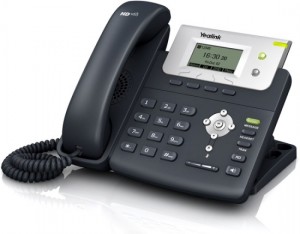
“We are also combining this offer with a 5% reduction on Yealink Hardware, Handsets or Headsets purchased at the same time as the 3CX License, we are also offering Free Number Porting to prospective clients to make switching easier.”
Paul Clarke, UK Partner Channel Manager, 3CX, said,
“This is a timely offer, and it is what we expect of resellers like Cirrus IT Services, to be proactive. 3CX continues to evolve as a product adding features and benefits, to enable customers to secure this at today’s prices for a number of years, combined with the offer of 5% off Hardware and Free Number Porting, is certainly a proposition worthy of consideration.”
Cirrus is a leading IT Managed Service Provider (MSP) based in Lancashire and is proud to be a 3CX Gold Partner. Cirrus IT Services are committed to providing top-tier telecommunications solutions alongside its established MSP offering and exceptional technical ability, together with industry leading customer service to its clients.
Cirrus provides bespoke, complex, and customer centric communications solutions, meaning that Cirrus is not just another Telecommunications Provider, they are a Unified Communications Solutions Provider adding value to their clients’ businesses.
Cirrus offers a range of telecommunications solutions, including cutting edge features enabling businesses to stay ahead of the competition, customized solutions which fit the unique requirements of each business, enhancing efficiency and productivity.
Providing industry leading training and support ensures businesses get the most from their investment, and proactive support is second nature for Cirrus.
If you would like to discuss this offer, even if you are not currently with Cirrus for your 3CX, or would like to understand how your telecommunications platform could fit more closely with your business objectives and processes, and enable you to gain the competitive advantage, a coffee with Cirrus would be a worthwhile investment, and we will even buy the Coffee, reach out to an account manager at Cirrus on 03333 056520 or hello@cirrusits.co.uk
Read More:
Cirrus Unified Communications Platform (3CX) – Cirrus IT Services (UK) Limited
Why our Hybrid 3CX model is best – Cirrus IT Services (UK) Limited
What is VoIP, and how it can save your business money – LinkedIn / Advantal Technologies
About Cirrus IT
Founded in 2015, Cirrus IT Services (UK) Limited is an IT MSP company dedicated to offering innovative IT solutions and services to businesses. Specializing in a range of services including Managed IT, Cloud solutions, Security and Communications, Cirrus IT Services is your partner in technology and growth.
For more information about Cirrus IT Services (UK) Limited and their services, please visit https://cirrusits.co.uk or contact us at hello@cirrusits.co.uk or call 03333 056520.
Scott Magee
Founder and Managing Director
Cirrus IT Services (UK) Limited
About 3CX
3CX is the developer of an open standards communications solution which innovates business connectivity and collaboration, replacing proprietary PBXs. The award-winning software enables companies of all sizes to cut telco costs, boost employee productivity, and enhance the customer experience.
With integrated video conferencing, apps for Android and iOS, website live chat, SMS, Facebook and WhatsApp messaging, 3CX offers companies a complete communications package out of the box.
350,000 customers worldwide use 3CX including Hugo Boss, Ramada Plaza Antwerp, Harley Davidson, Wilson Sporting Goods and Pepsi. Maintaining its global presence, 3CX has offices in the U.S., U.K., Germany, South Africa, Russia and Australia. Visit 3CX on LinkedIn, Facebook, Twitter and Instagram.