When it comes to backups, it’s certainly not a case of one size fits all
There are so many great options available, so how do you know which is best for you and your business?
Should you be using cloud or on-site storage, image or file-based backups?
Here’s my practical, simplified guide about what you need to consider and why.
First, let me explain two critical backup measurements – Restore Point – Restore Time. Continue reading

This phrase “The Cloud” has become so commonplace over recent years that many people are now afraid to ask what it is. As the technology is talked about all the time, most believe that they should already know all about it, so think that asking would make them look silly or uneducated.
It will not have escaped your attention that Friday 12th May 2017 an unprecedented large scale cyber-attack has been causing widespread mayhem across more than 150 Countries and affecting thousands of organisations, including the NHS.
This attack has been all over the news and there has been lots of differing advice passed on from multiple sources, leaving people confused and concerned. This information is intended to help clarify the situation and reassure computer users on how they can protect themselves from becoming a victim.
Since we started trading last year, our product and service portfolio has grown along with customer demand so that we can achieve our aim of being “The High-Flying Cloud Company providing everything you could ever need in the IT & Communications world”.
The graphic above shows just some of the products and services we can now offer.
Our philosophy of Sales through Service has proved a massive success with our customers and as such we are extremely proud to announce our expansion with the opening of our new office in Chadderton, Oldham.
Situated in the new Chadderton Business Park at Junction 21 of the M60, this new office gives us great accessibility to the M60, M66 and M62 motorway networks and places us within easy reach of most of the North West’s major town’s and cities.
Thank you to all of our fantastic customers for supporting us and we promise that we will not relax our efforts to keep providing you with the excellent service you have come to expect, no matter how much we grow.
If the answer’s £0 then you need to speak to us!
The biggest telephone system suppliers, such as (but not limited to) Avaya, Cisco, Mitel, Samsung & Panasonic all charge device license fees for each phone you connect and in most cases for each SIP trunk you add to your system too.
Sometimes the device licenses are as expensive as a modern IP phone so you pay twice every time you want to add an extension, once for the phone and once for the license.
Our solution is different, you’re not tied to a single brand of telephone, you don’t pay for licenses for adding devices and you don’t pay to add SIP trunks either.
You also get all of the useful features that the others offer with a few extra ones thrown in too:
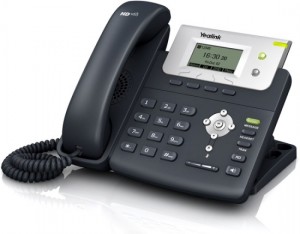
The Yealink T21PN IP phone is a cheap but feature rich, easy to use IP phone. Some of the awesome features of this cool looking phone include.
HD Voice: HD Codec, HD speaker, HD handset,132 x 64-pixel graphical LCD,2 VoIP accounts,Dual 10/100 Ethernet Ports, integrated PoE.Full Duplex speakerphone,Headset Port,Wall mountable,XML/LDAP remote phonebook. The T21PN is also compatible with this accessory Yealink YHS32 lightweight, noise cancelling over-the-head monaural headset.

We also include a lifetime warranty with the T21PN phone also so you don’t have to worry about a replacement should it go faulty, I mean it must be good for us to put a lifetime warranty to it …. Right?
If you wish to ask any questions about this product then please contact us and one of our team will be more than happy to help.
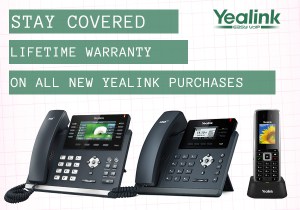
Good news everyone, we’re happy to announce that all Yealink phones purchased from us as of 21/10/2015 will be covered by lifetime warranty! We are as excited as you are to hear this news. Just think no more having to worry if you are still covered by warranty on a genuine fault that was not your fault.

To find out how this can benefit you then please contact us and one of our team will be happy to answer you questions.
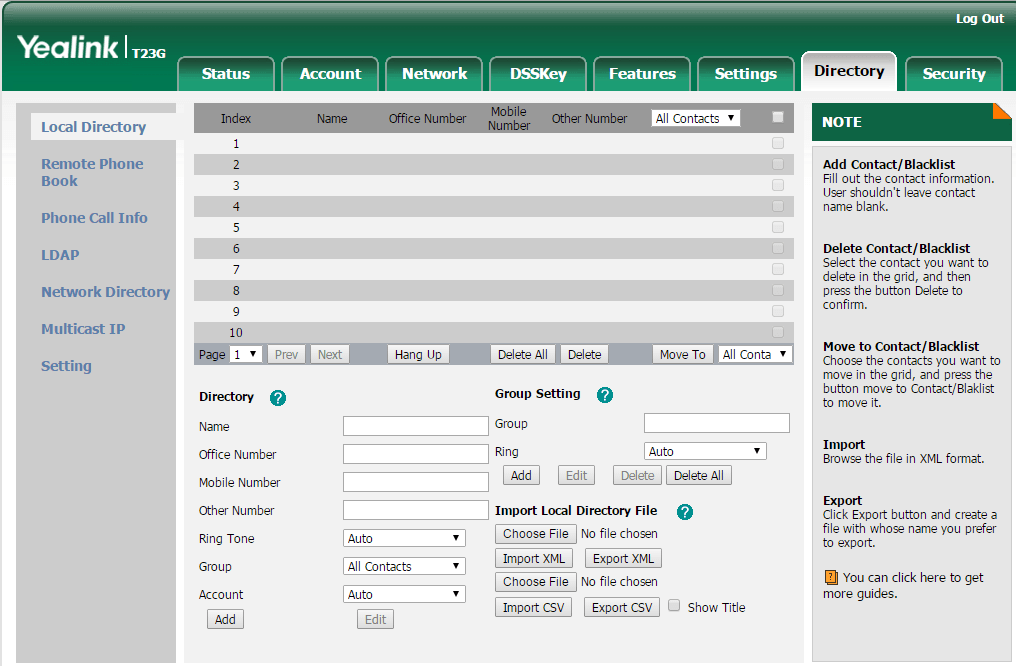
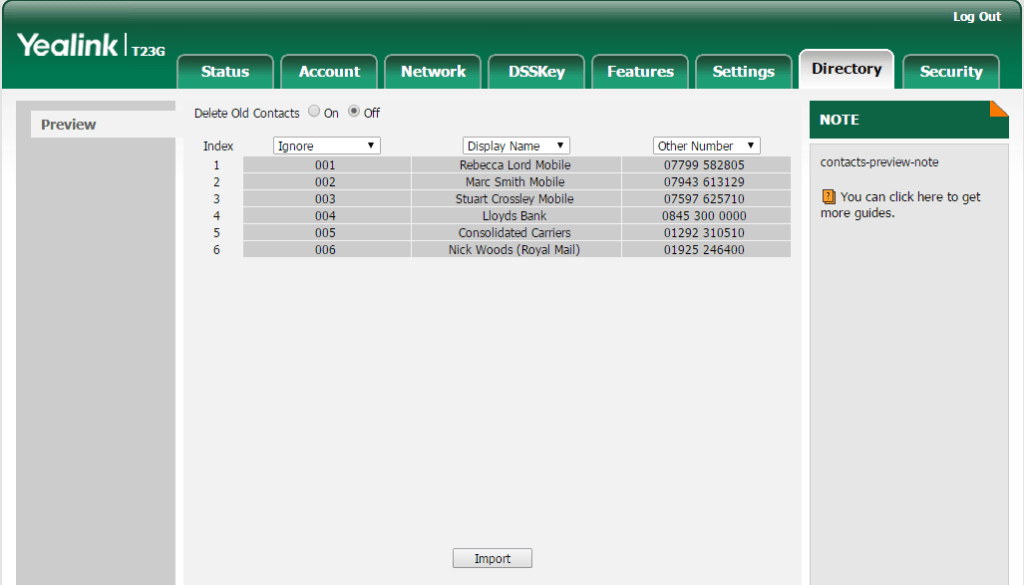
Here is a quick guide on how to upload a directory to a Yealink T23G. To start you will need to web browse to the i.p address of the Yealink phone and login with the credentials set by your phone provider. Once you are in the administration page go to the “Directory” tab.
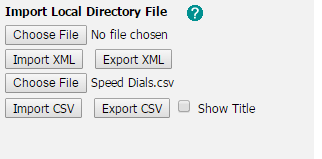
Near the bottom of this screen you will see Import local directory file you will have the option to select either a .xml file or a .csv file

In “choose file box” select the required format (for this example we are going to use a .csv file) and then click import .csv.

You will now see a list of the speed dials with drop down boxes above each column, Here you can select weather they are the display name or mobile number or office number etc.

Once you have chosen how you would like them to be display as then click the Import button at the bottom, you have now imported this file and the directory will be populated.
If you have any questions or require any help please get in touch and one of our team will be happy to help.
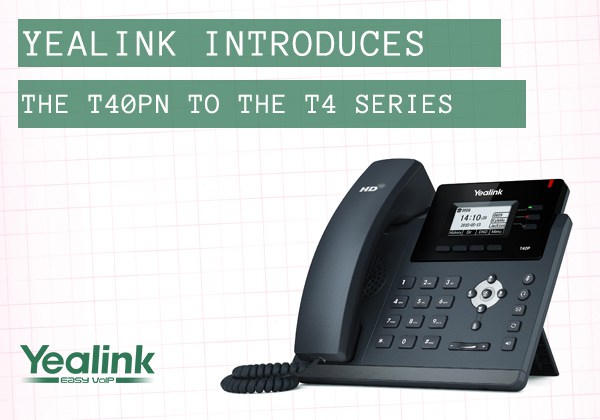
Yealink have introduced a new model into their T4 series IP phones and it is the T40PN which comes with a lifetime warranty.
Encased in the cool, black outer shell that we’ve come to expect from Yealink’s design team, the T40PN may be cheap but it has everything you need from a desktop IP phone.
For full details of the T40PN IP Phone please click the link. T40PN Datasheet

Do you want to know more? Then please contact us and our team will be happy to answer your questions.